MultiTV Highlights · AI key moments

Turn live video into instant highlights.

One AI engine watches your feed and publishes branded, multilingual highlights to every platform you own — in seconds, not minutes.

20smoment to published clip
10xmore clips per event
4aspect ratios, automatic
LIVEhighlights.multitv.cloud247 clips this hour
MultiTV key moment gen00:00:20:08 auto-clipped
GGoal Header off cornerFootball · 67′ · 9:16LIVE
6Six 98m, over the standCricket · Over 19.4 · 16:9DONE
BBuzzer-beater from the logoBasketball · Q4 0:00 · 1:1DONE
PPodium national anthemAthletics · 4:5 · EN, HIDONE

Trusted by leading brands & broadcasters worldwide

SonyLIVZEE5RelianceSamsungBMWMercedes-BenzFanCodeTataVodafoneBajaj AllianzSonyLIVZEE5RelianceSamsungBMWMercedes-BenzFanCodeTataVodafoneBajaj Allianz

The challenge

Attention is measured in seconds. Your edit bay isn't.

The best moment of your event is worthless an hour later. Audiences live in feeds, and feeds reward whoever publishes first.

60sfrom live moment to published, branded highlight

How it works

Four steps from problem to outcome.

01

Connect the feed

Point Momentus AI at any live broadcast, stream or VOD library.

02

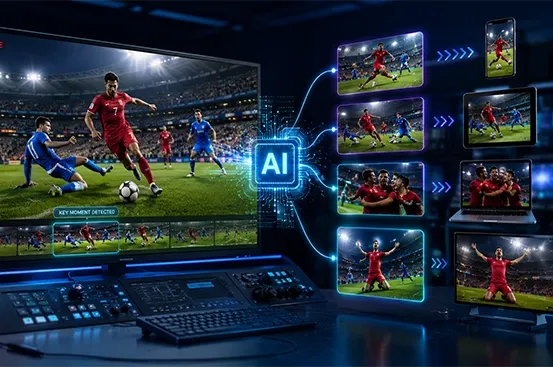
AI finds the peaks

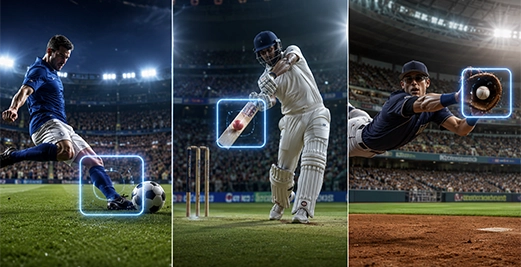
Crowd audio, on-screen graphics, action and faces mark what matters.

03

Cut, brand, resize

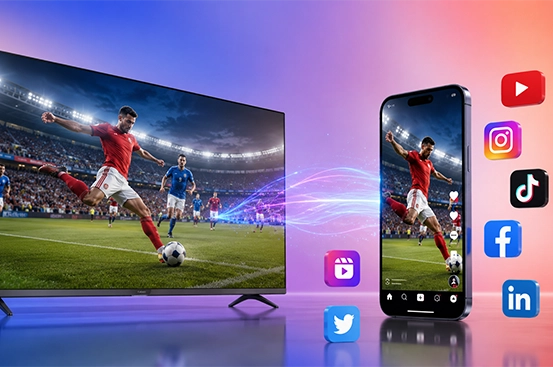
Clips are assembled with your branding in 16:9, 1:1 and 9:16.

04

Publish everywhere

Pushed to your apps, site and socials while the moment is still hot.

What you get

Close the gap between the moment and the post.

Manual editing takes minutes; audiences switch in seconds. Automated highlights protect engagement, sponsorship and rights ROI.

Close the gap between the moment and the post.

Manual editing takes minutes; audiences switch in seconds. Automated highlights protect engagement, sponsorship and rights ROI.

01

Real-time detection

Multi-model AI spots every key moment with sub-second latency.

02

Multilingual clips

Auto-captions and commentary in 30+ languages.

03

Every aspect ratio

9:16, 1:1, 16:9 and 4:5, smart-cropped.

04

Branded overlays

Your templates and logos baked in automatically.

STREAM  ·  SCALE  ·  MONETIZE  ·  STREAM  ·  SCALE  ·  MONETIZE  ·  STREAM  ·  SCALE  ·  MONETIZE  ·  STREAM  ·  SCALE  ·  MONETIZE  ·  STREAM  ·  SCALE  ·  MONETIZE  ·  STREAM  ·  SCALE  ·  MONETIZE  ·  STREAM  ·  SCALE  ·  MONETIZE  ·  STREAM  ·  SCALE  ·  MONETIZE  · 
60sMoment to clip
10xMore clips per event
3Formats, automatically
1B+Hours streamed yearly

Production numbers from live MultiTV deployments not lab benchmarks.

The engine

From whistle to social in seconds.

app.multitv.cloud/highlights
MultiTV key moment genMultiTV social
MultiTV key moment gen

Instant key-moment generation

AI clips the moments that matter the instant they happen.

  • Sub-second detection across live and VOD.
  • Auto-cut, branded and exported in every format.
  • No editor required.
MultiTV social

AI social distribution

Branded, captioned clips pushed to every channel in parallel.

  • Landscape-to-portrait smart cropping.
  • Auto-captions in 30+ languages.
  • Reels, Shorts and TikTok ready.

Under the hood

Capabilities that carry the workload.

01

Scene-level detection

Context-aware AI captures every pivotal moment.

02

Auto-captioning

Accurate captions in 30+ languages.

03

Multi-platform resizing

Smart-crop one feed to every screen.

04

Branded output

Overlays and logos applied automatically.

05

Publish everywhere

App, YouTube, TikTok, Instagram and X in parallel.

06

80% less effort

One operator supervises dozens of feeds.

Leaders' choice in video tech

The results behind every video experience.

See why broadcasters and live streaming providers choose MultiTV to power their video businesses.

Thanks for your efforts on the F62 launch — executed very well, from production to simulcast on multiple platforms. Great to have MultiTV with us.

★★★★★

Ram Deshpande · Vice-President, Digital, Samsung

As Apollo 24/7, we've been associated with MultiTV on our online property 'Health Hour'. The service and technical support received is exceptional.

★★★★★

Kushagr Sharma · Marketing Manager, Apollo 24|7

We were able to consolidate multiple vendors into one MultiTV solution, which made the entire process much simpler. What really stood out was how quickly we were able to move from planning to launch.

★★★★★

Head of Digital · Leading Entertainment Network

We had a huge library of content sitting on the shelf. MultiTV helped us turn that archive into three FAST channels in just a week, giving us a new way to monetize content we already owned.

★★★★★

COO · International Content Studio

We’re now getting highlights out while the game is still fresh. That speed has made a real difference to how quickly we can engage our audience on social.

★★★★★

Head of Content · Sports Broadcaster

We were able to bring several separate infrastructure and media costs together under Streamline. The TCO analysis made the business case clear, and the savings started to show even before the migration was complete.

★★★★★

VP Engineering · OTT Platform

We were able to change our packaging and pricing several times during the quarter without waiting for an app release. That gave us much more flexibility, and our trial-to-paid conversion improved significantly.

★★★★★

Head of Growth · D2C Streaming Service

We’ve been able to connect our live content with commerce in a way we couldn’t before. Fans can discover a jersey and buy it while the match is still happening.

★★★★★

CRO · Sports Media Group

Success stories

Trusted by leading brands.

FAQ

Common questions.

What is MultiTV Highlights?

MultiTV Highlights is an AI-powered video highlight solution that automatically identifies important moments from live and recorded video and turns them into ready-to-publish clips.

The solution uses AI to detect key moments, create clips, apply branding and captions, resize them for different platforms and distribute them across apps, websites and social media.

It is designed for broadcasters, sports organizations, OTT platforms, media companies, news publishers and other businesses that need to create a large volume of engaging video content without relying entirely on manual editing.

What is an AI video highlight generator?

An AI video highlight generator uses artificial intelligence to identify important moments within a video and automatically turn them into short, shareable clips.

Instead of an editor watching an entire match, event or broadcast to find interesting moments, AI can analyse signals such as action, audio, on-screen graphics and faces to identify what matters.

MultiTV Highlights automates this process from detection and clipping through to branding, resizing and publishing, helping teams move from a live moment to an audience-ready clip much faster.

Can AI automatically generate sports highlights?

Yes. AI-powered sports highlight generation is one of the key use cases for MultiTV Highlights.

The platform can identify moments such as goals, sixes, wickets, dunks, buzzer-beaters and other significant plays and automatically convert them into short-form highlights.

These clips can then be branded, captioned and formatted for different platforms, allowing sports organizations and broadcasters to share important moments while the event is still taking place.

How quickly can MultiTV generate sports highlights?

MultiTV's current production deployments report a median whistle-to-social time of around 20 seconds.

The exact turnaround can vary depending on the event, input feed, processing requirements and publishing workflow. The important difference is that the workflow is designed for real-time or near-real-time distribution rather than waiting for traditional post-production.

For sports broadcasters, this means a goal, six, knockout or other key moment can become a branded social clip while the audience is still following the live event.

How does AI identify key moments in a live video?

The AI engine analyses multiple signals within the video to understand what is happening.

Depending on the content, these signals can include crowd audio, on-screen graphics, visual action, faces and contextual information. The system uses these signals to identify moments that are likely to be important or engaging.

Once a moment is detected, the platform can automatically create the clip, apply the required branding and prepare it for distribution.

Can MultiTV Highlights work with live and recorded video?

Yes. MultiTV Highlights can work with both live broadcasts and VOD libraries.

For live content, the AI can identify moments as they happen and generate clips for rapid distribution. For recorded content, it can analyse existing video libraries and identify moments that can be repurposed into shorter content.

This makes the solution useful for both live-event coverage and long-form content repurposing.

What types of content can be converted into AI-generated highlights?

MultiTV Highlights can be used for a variety of video content, including:

Live sports

Esports and gaming

News broadcasts

Events and conferences

Entertainment

Interviews

VOD libraries

Promotional content

The same underlying workflow can be adapted to different content types, allowing organizations to create more short-form content from the video they already produce.

Can MultiTV create highlights for sports such as cricket, football and basketball?

Yes. The AI highlight workflow can be used across different sports and event formats.

For example, cricket highlights can focus on wickets, sixes and other significant plays, while football workflows can identify goals and other key events. Basketball can focus on buzzer-beaters, dunks and other high-impact moments.

The highlight workflow can be configured around the type of content and the moments that matter most to a particular sport or event.

Can AI-generated highlights be created for esports and gaming?

Yes. MultiTV supports AI-powered highlights for esports and gaming content.

The platform can identify significant gameplay moments and turn them into short clips that can be shared across social platforms and digital channels.

This is particularly useful for tournaments and gaming streams where large amounts of live footage can otherwise require significant manual editing before the best moments can be published.

Can MultiTV automatically create social media clips?

Yes. MultiTV Highlights is designed to turn live and recorded video into social-media-ready clips.

Once a key moment has been detected, the system can create the clip, apply branding and captions, resize it for different platforms and prepare it for publishing.

This can significantly reduce the manual steps involved in creating Reels, Shorts and other short-form video content.

Which social media platforms can receive AI-generated highlights?

MultiTV Highlights can prepare and distribute content for platforms including YouTube, TikTok, Instagram and X, along with an organization's own website or application.

The same source clip can be adapted into different formats rather than requiring an editor to create each version separately.

This allows teams to maintain a consistent publishing workflow while producing content suited to different viewing environments.

Can one video be automatically converted into different aspect ratios?

Yes. MultiTV Highlights supports automatic resizing and smart cropping for different platforms.

The platform can create formats such as 16:9, 1:1, 9:16 and 4:5, allowing the same highlight to be adapted for widescreen, square and vertical viewing.

The smart-cropping workflow is designed to keep the important subject or action visible rather than simply cropping the centre of the original frame.

Can AI highlights be branded automatically?

Yes. Branding can be built directly into the highlight-generation workflow.

Organizations can automatically apply elements such as logos, branded overlays and templates to generated clips before they are published.

This is particularly valuable for broadcasters, sports leagues and rights-holders that need every piece of social content to follow their visual identity or include sponsor visibility.

Can sponsors be included in AI-generated highlights?

Yes. Sponsor and brand elements can be incorporated into highlight templates and overlays.

For example, a sports organization can include sponsor logos or branded graphics in automatically generated clips rather than adding them manually to every video.

This can create additional sponsorship inventory while allowing brands to appear across a much larger volume of digital content.

Does MultiTV support multilingual video highlights?

Yes. MultiTV Highlights supports automatic captions and multilingual content.

The current page states support for captions in 30+ languages, allowing organizations to create localized versions of their highlights for different audiences.

This is particularly useful for international sports competitions, broadcasters and content owners distributing the same event across multiple countries and language markets.

Can AI automatically add captions to video highlights?

Yes. MultiTV Highlights can automatically generate captions as part of the highlight-production workflow.

Captions can then be incorporated into the final clip, making the content more accessible and suitable for social platforms where users frequently watch videos without sound.

For organizations publishing large numbers of clips, automated captioning can remove a significant amount of repetitive post-production work.

Can MultiTV automatically publish highlights after generating them?

Yes. Automated publishing is an important part of the workflow.

Once the AI identifies a moment and creates the clip, the platform can apply the required branding, captions and format before pushing the content to configured digital destinations.

This reduces the gap between moment → clip → publication, which is particularly important for live sports and breaking-news content.

Can MultiTV Highlights be used for breaking news?

Yes. AI-powered highlight generation can also be used for news video clipping.

The platform can identify important statements, visuals and moments within news broadcasts and turn them into shorter digital clips.

For news organizations, this can help transform a long broadcast or live feed into multiple pieces of digital content without waiting for an editor to manually review the entire programme.

Can MultiTV create highlights from long-form VOD content?

Yes. MultiTV Highlights can analyse VOD libraries and identify moments that can be repurposed into shorter videos.

This allows organizations to extract additional value from existing content such as interviews, sports archives, events, documentaries and entertainment programmes.

Instead of creating new content from scratch, teams can use AI to discover and repurpose moments that already exist within their video library.

Does AI highlight generation replace video editors?

Not necessarily. The biggest advantage is automating the repetitive parts of the editing workflow.

AI can handle tasks such as identifying moments, creating initial clips, resizing content, adding captions and applying predefined branding. Editors or content teams can still review, refine and approve content when creative control is required.

This allows skilled editors to spend more time on storytelling and creative work rather than manually searching through hours of footage.

How much manual work can AI highlight generation save?

MultiTV currently positions its Highlights solution around 80% less effort in the content-production workflow, with one operator able to supervise dozens of feeds.

The actual time and cost savings will depend on the volume of content, number of feeds, existing production workflow and level of human review required.

The largest efficiency gains typically come from automating repetitive tasks such as clipping, resizing, captioning, branding and publishing.

Can MultiTV Highlights improve sports fan engagement?

Yes. Speed is particularly important in sports because the value of a moment can decline quickly once the play is over.

Publishing a goal, wicket, dunk or other major event within seconds gives fans something to share and discuss while the match is still live.

Fast, branded and platform-optimized highlights can also help sports organizations extend their reach beyond the main broadcast and create additional opportunities for sponsorship and digital monetization.

Can AI-generated highlights increase the amount of content produced?

Yes. Automation allows organizations to generate significantly more short-form content from the same live feed or VOD library.

MultiTV currently highlights 10x more clips per event as a production outcome.

Instead of selecting only a handful of moments because of limited editing resources, teams can potentially create a much larger library of relevant clips for different audiences, platforms and languages.

What is the difference between AI highlight generation and traditional video editing?

Traditional highlight creation usually requires an editor to watch or scrub through footage, identify important moments, create clips, add branding, resize them, add captions and publish each version.

AI highlight generation automates much of this workflow.

MultiTV Highlights can detect key moments, create clips, apply branding, generate captions, resize the content and prepare it for multiple platforms. Human teams can then supervise the process rather than performing every step manually.

Can MultiTV Highlights work with an existing broadcast workflow?

Yes. MultiTV Highlights is designed to work with existing live broadcasts, streams and VOD libraries.

The platform can connect to a live feed and process the content while the primary broadcast continues. This means broadcasters and rights-holders can add an AI-powered highlight workflow without necessarily replacing their existing production or transmission infrastructure.

Can AI highlights be published to my OTT platform?

Yes. Generated highlights can be delivered to an organization's own website, application or OTT environment in addition to social platforms.

This allows an OTT service to use AI-generated clips as a complementary content layer around live events and VOD.

For example, a sports OTT platform could offer the full match alongside automatically generated short highlights, giving viewers both long-form and snackable content experiences.

What is the difference between MultiTV Highlights and Momentus?

Momentus is MultiTV's AI video intelligence engine and product, while MultiTV Highlights is the solution experience focused specifically on automatically generating and distributing highlights.

Momentus provides the underlying AI capabilities for identifying key moments, creating clips, generating captions and preparing content. The Highlights solution packages those capabilities around the specific business requirement of fast, automated highlight production and distribution.

Can MultiTV Highlights support different content formats?

Yes. The platform supports multiple output formats and aspect ratios so that content can be adapted to different screens and platforms.

Current supported formats include 16:9, 1:1, 9:16 and 4:5, enabling broadcasters and content teams to create widescreen, square and vertical versions from the same source footage.

Who can benefit from an AI video highlights platform?

MultiTV Highlights is particularly useful for organizations that produce large amounts of live or recorded video, including:

Sports leagues and federations

Broadcasters

OTT platforms

News organizations

Media companies

Esports operators

Event organizers

Content publishers

Rights-holders

The common requirement is the need to turn video into engaging short-form content quickly and at scale.

Can MultiTV Highlights help sports rights-holders monetize content?

Yes. Faster and more frequent highlights can create additional opportunities for sponsorship, advertising and digital engagement.

Sponsor logos and branded overlays can be integrated into highlight templates, while clips can be distributed across multiple channels to increase the number of digital touchpoints around an event.

For rights-holders, this means the value of a live broadcast can extend beyond the primary stream into a larger ecosystem of social and digital content.

Is MultiTV Highlights suitable for large-scale sporting events?

Yes. The platform is designed for high-volume live video workflows and is intended to automate highlight generation across multiple feeds.

This is particularly useful for tournaments, leagues and multi-event competitions where manually monitoring every match or feed would require a large editing team.

By automating detection and production, a smaller team can supervise a much larger volume of content.

Can I use MultiTV Highlights for multiple live feeds simultaneously?

Yes. The platform is designed to automate content generation across multiple feeds.

This is particularly valuable for sports competitions with several matches or events happening simultaneously. Instead of assigning an editor to monitor every feed manually, AI can monitor the content and identify moments that should be turned into highlights.

Does MultiTV Highlights support cloud-based video workflows?

Yes. The solution is designed around cloud-based video processing and distribution workflows.

Generated content can be delivered to configured cloud destinations and digital platforms, allowing organizations to incorporate AI highlights into their existing OTT, media and content-distribution infrastructure.

How can I test MultiTV's AI highlight generation?

MultiTV offers a demonstration where organizations can share their video feed and see how branded and multilingual highlights can be generated from their content.

This is particularly useful because the quality and relevance of AI highlight generation can vary by sport, content type and production workflow.

See your highlights, auto-clipped.

Share your feed and we'll show branded, multilingual highlights generated live.

LAUNCH  ·  STREAM  ·  MONETIZE  ·  SCALE  ·  LAUNCH  ·  STREAM  ·  MONETIZE  ·  SCALE  ·  LAUNCH  ·  STREAM  ·  MONETIZE  ·  SCALE  ·  LAUNCH  ·  STREAM  ·  MONETIZE  ·  SCALE  ·  LAUNCH  ·  STREAM  ·  MONETIZE  ·  SCALE  ·  LAUNCH  ·  STREAM  ·  MONETIZE  ·  SCALE  ·